


This Pinterest video downloader saves any public pin in two steps: copy the pin’s link, paste it into the box above and press Download. You get the video as an HD MP4, every picture of the pin at the size it was uploaded, GIFs as real animated GIFs, or just the sound as an MP3, straight to your phone or computer. It is free, it works in the browser, and there is nothing to install and no Pinterest account to sign in to.
What this Pinterest video downloader can save
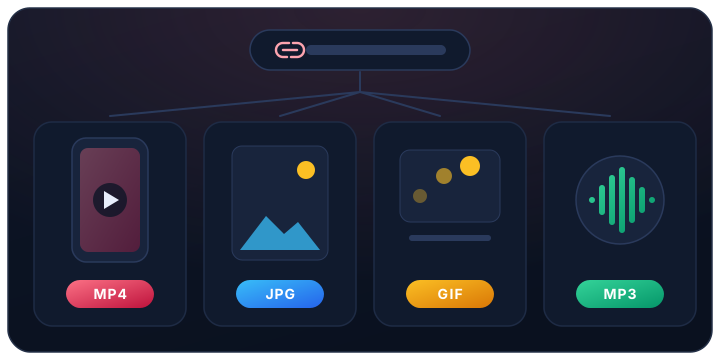
Any public pin: video pins, the videos and pictures on every page of an Idea Pin, picture pins and GIFs. The sound of a video can be kept as an MP3. Every kind of Pinterest link works: the short pin.it link the app’s Share button copies, the address from your browser, and links from Pinterest’s country and language sites, such as pinterest.co.uk, pinterest.de or in.pinterest.com.
A good test: if the pin opens in a private browser window without logging in, its link works here.
The quality you get: HD up to 720p, no 1080p or 4K
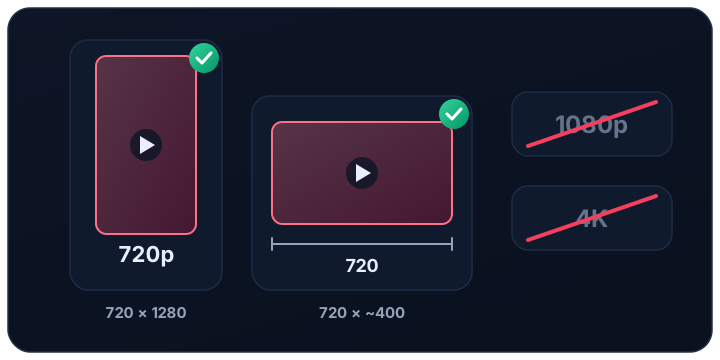
Pinterest keeps one downloadable file of each video, at up to 720p — HD — in H.264 with its sound, which plays on every phone, computer and TV. The file is 720 pixels across: an upright video comes as 720×1280, and a wide one keeps the same width and is less tall, about 720×400. The list shows the file’s real size before you download.
Pinterest keeps no 1080p and no 4K file. A few older videos stream a little sharper inside Pinterest’s own player, but only as pieces, never as a file. A site that offers a Pinterest video in 4K is enlarging the picture, which makes the file bigger without making it sharper. Nothing is converted or compressed again here: you receive the file Pinterest itself stores.
No watermark added, no app, no login
The file you save is the one Pinterest stores, and this site adds nothing to it: no logo, no text, no closing card. Anything that was part of the video when it was posted, such as a caption or a logo the creator put in, stays, because it is part of the picture.
You never need a Pinterest account here, and this site never asks for one. Treat any downloader that asks for your Pinterest password, or wants you to install an app or a browser extension first, as a warning sign.
Saving Pinterest videos on iPhone
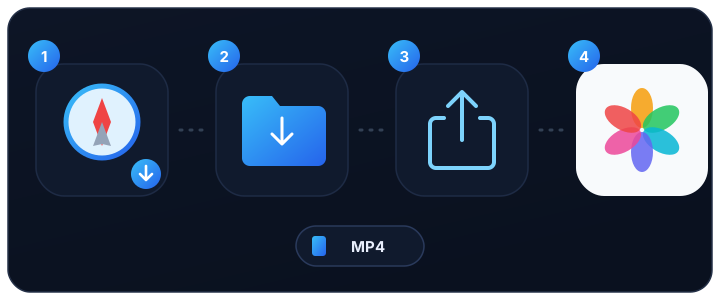
Use Safari. When you press Download, the iPhone saves the video in the Files app, in the Downloads folder. To move it to Photos, open it in Files, tap the share button and choose Save Video. A picture or a GIF is saved the same way, with Save Image.
Saving on Android or a computer
On Android, Chrome and most other browsers put the file in the Downloads folder, and the gallery shows it a few seconds later. On a Windows computer, a Mac or a Chromebook it lands in your usual download folder. The file is named after the account and the pin’s title, so you can find it again, and you can rename it freely without affecting the video.
Idea Pins, pictures and GIFs

For an Idea Pin, paste its link once: the video or picture of every page is listed with its own Download button, so you can keep all of them or only the ones you want. Pictures come at the size they were uploaded, not the smaller copy Pinterest shows in its feed, and a GIF stays an animated GIF. Pinterest’s own “Download image” button covers pictures only — never videos.
Pinterest to MP3: saving just the sound
A video pin with sound can be saved as an MP3: press Convert to MP3 under the video. The sound is taken from the video Pinterest stores and turned into an MP3 on this site’s server, which keeps it for 72 hours and then deletes it, so download it straight away. A video posted without sound has nothing to convert, and the button says so.
When a Pinterest link will not work
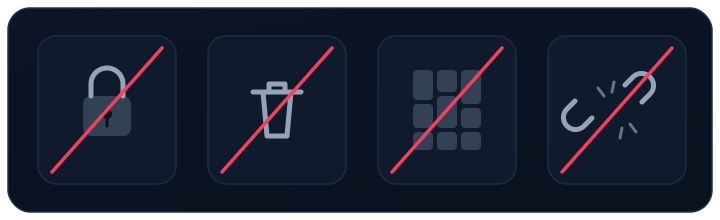
A link fails when the pin is not public: a pin on a secret board, which only its owner can see (with anyone they invited to the board), or a pin that was deleted. A link to a board, a profile or a search is not a pin: open the pin itself and copy its link. A pin.it share link that no longer opens anything fails too. The message under the box says which of these it is.
To check a link yourself, open it in a private browser window: if Pinterest asks you to log in to see the pin, this tool cannot reach it either.
Is this Pinterest video downloader safe?
There is nothing to install, so there is nothing that could stay on your phone or computer. The site never asks for your Pinterest login, and it reads only public pins, the way any logged-out browser sees them. When you press Download, the file is fetched from Pinterest’s own servers at that moment and passed straight to you; no copy is kept here. The only file this site makes is an MP3, and it is deleted after 72 hours.
Using saved pins fairly
A saved pin is yours to watch offline, keep for reference or use in your own private projects. It still belongs to the person who made it: ask before posting it anywhere else, credit the creator when you do, and never use someone else’s pin to pass yourself off as them or to sell something.
Saving from Facebook instead? The main downloader saves Facebook videos, Reels and Stories with the same paste-and-download box.